
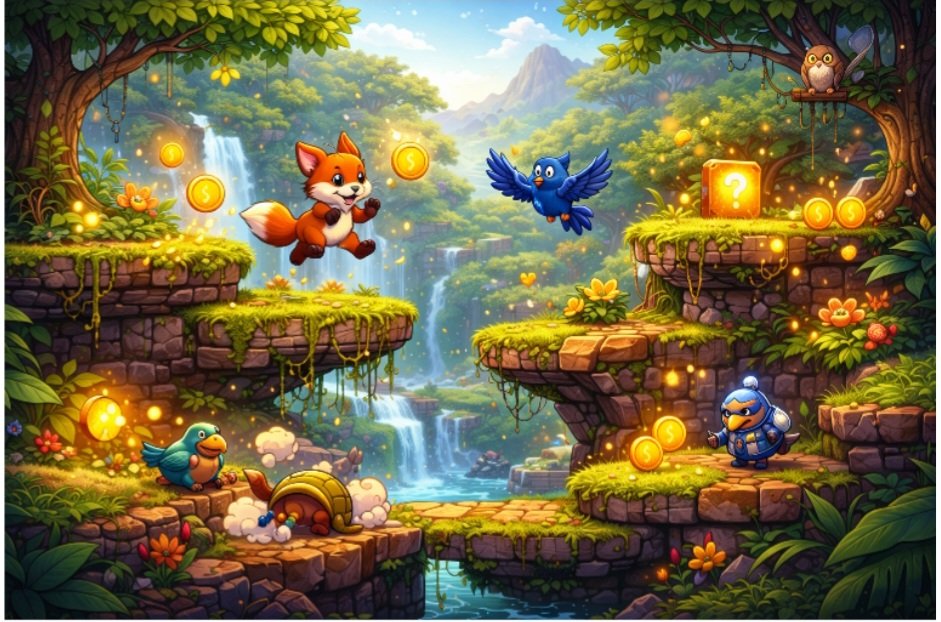
Arcade games bring back memories of quick rounds, simple controls, and the thrill of beating your own best score. Think dodging enemies in a spaceship, racing through endless roads, or clearing rows of blocks before time runs out. These games feel exciting because they start easy, grow challenging fast, and give instant rewards like points and extra lives.
Many people want to make their own, but stop because drawing screens, writing rules, and testing everything takes too much time and skill. Automatic tools change that picture completely. You write a short note about the game you want, and the tool builds the full screen, player controls, enemies, scoring system, and even the way the game ends. Everything connects right away so you can play in minutes. If you have ever wanted to create a game without learning heavy software, this is where to start. The tool handles the busy work while you focus on what makes the game fun: fast action, fair challenges, and that “one more try” feeling.
Why Building Arcade Games This Way Makes Sense
Arcade games need speed and simplicity, which matches perfectly with tools that work from plain instructions. Traditional ways mean placing every enemy by hand, setting exact timings, and checking scores manually. That slows you down and often leads to games that feel uneven. With automatic help, you try ten different enemy patterns in the time it used to take for one. If the first version moves too slowly, you ask for faster action and get a new build right away.
This speed keeps your ideas fresh. You can match the classic arcade feeling, short rounds that last two to five minutes, without touching the technical side. The tool also builds in natural balance. Enemies appear in spots that make sense, power-ups drop at good moments, and the score climbs in a way that feels rewarding. You no longer spend hours wondering if a level is too hard or too easy. Instead, you play and adjust based on real feel.
How the Tool Turns Your Idea Into a Full Arcade Game
Start with a basic description like: a side-scrolling space shooter where a small ship flies right, shoots lasers at falling asteroids, collects stars for points, and has three lives before game over. The tool reads that and sets up the screen: a scrolling background of stars, your ship at the left, controls for moving and shooting, and enemies dropping from above.
It adds the rules next. Lasers destroy asteroids, collisions cost a life, stars add to the score, and the game speeds up gradually as you play longer. Everything checks itself so impossible situations never happen. You hit play immediately and feel the flow. If the ship feels sluggish, you change the description to make ship movement quicker and smoother and ask again. The tool rebuilds the needed parts while keeping the rest intact.
Main Steps to Build Your Arcade Game
Choose the classic style first. Decide whether you want a shooter, endless runner, block breaker, or dodging game so the tool sets the right screen layout and movement from the start.
Describe the player and controls. Explain how the main character moves and acts, tapping to jump or holding to shoot, so controls feel natural on any device.
Add enemies and challenges. List what comes at the player and how they behave, such as fast-moving rocks or waves of ships, to create the rising tension arcade fans expect.
Set scoring and endings. Mention how points add up, when extra lives appear, and what shows at game over or high score so every round feels complete and motivating.
Writing Good Descriptions for Strong Arcade Action
Specific words bring better results every time. Instead of make an exciting game, try: build a vertical endless runner where a character jumps over gaps and slides under barriers, collects coins for 100 points each, speeds up every 30 seconds, three lives total. The extra details help the tool place obstacles at the right moments and keep the pace exciting.
Think about the player experience while you write. Mention easy start for new players or big difficulty jump after each high score so the game feels fair throughout. Save your favorite phrases for later levels so the whole game grows naturally harder without losing its style.
Want to see how a well-built arcade game feels before you start writing your own descriptions? Play Voxel Hunter to get a clear sense of the pacing, challenge balance, and moment-to-moment feel that a good game builder can produce. After a few sessions, you learn which words create the exact rush you want.
Key Settings You Can Change
Screen and scroll speed. Pick horizontal, vertical, or fixed views and set how fast the world moves to match the intensity you want.
Number of lives and difficulty. Choose three or five lives and decide how quickly enemies speed up so new players last longer and experts stay challenged.
Point values and rewards. Set base scores for normal hits and bigger ones for special actions to make every successful move feel worth it.
Background and colors. Select bright retro tones or darker modern looks that keep everything clear and easy to spot during fast play.
Common Problems That Show Up in Arcade Games
Even good descriptions can lead to small issues. Enemies might bunch up in one spot and make the game feel unfair, or the scrolling might repeat the same background too soon and lose excitement. Controls can feel heavy on touch screens, or scoring might climb too slowly and cause players to lose interest. These issues happen because the tool follows every rule at once and sometimes needs clearer boundaries.
Performance can slow down when too many objects appear at the same time on older devices. Win screens might show too late, or the game could end suddenly without warning. None of these means the idea is bad. They simply point to spots where one extra word or setting change makes everything smoother.
Problems You Might Face and Simple Fixes
Game feels too hard right at the start. Add easy first 30 seconds with fewer enemies and slower speed, then ask for a new build to test the gentler opening.
Background repeats too quickly and looks boring. Include change background pattern every 15 seconds with new colors or shapes to keep things visually fresh without extra work.
Controls feel delayed on phones. Specify make movement instant with larger touch areas so players react faster and enjoy the action more.
Scoring feels too slow to climb. Set 200 points for normal hits and 500 for power-ups so players see visible progress and stay motivated.
Testing Your New Arcade Game
Load the game and play at least five full rounds yourself. First time, go normally to feel the flow. Second time, try risky moves to catch glitches. Third time, rush for a high score to check balance. Fourth and fifth, focus on later stages where difficulty rises. Time each round to make sure it stays in that two-to-five-minute arcade sweet spot.
Open the game on a phone, tablet, and computer because screen size changes how controls feel. Watch loading speed and whether everything stays smooth when the action gets busy. Invite one or two friends to play while you sit quietly nearby. Note where they lean forward in excitement or sigh in frustration. Their fresh perspective catches problems you no longer notice after playing so many times. Write every observation down clearly, these notes become your exact instructions for the next round of improvements.
Tips to Make Your Arcade Game More Addictive
Build a clear difficulty curve. Start gentle so players learn fast, then raise speed and enemy count steadily to create that just one more round pull.
Add simple power-ups. Place occasional boosts like speed bursts or shield bubbles at natural moments so players feel clever when they grab them.
Include high-score excitement. Show a quick leaderboard after every game over and let players beat their last score easily at first to encourage repeat play.
Keep controls simple and responsive. Limit actions to one or two buttons or swipes so anyone can jump in and focus on the fun instead of learning complicated inputs.
Putting Everything Together Into One Game
With several strong levels or an endless mode ready, connect them smoothly. Make sure the end of one round leads naturally into the next with a short next stage screen. The make your own game tools available today can suggest simple links if you describe the full flow to them. This step turns separate pieces into one complete arcade experience that feels bigger than the sum of its parts.
Getting the Most from Automatic Tools
Keep a short list of your best descriptions and settings so you can reuse and improve them quickly. Try building when your mind feels fresh because new ideas often bring the most exciting twists. Most creators notice the biggest quality jumps after three or four full rounds of build, test, and fix. Regular use helps you develop a feel for exactly what words create the fast, fun arcade games you love. A game builder that responds to plain language removes the last remaining excuse to put off starting. Your idea is already good enough to try today.
Conclusion
Building arcade-style games with automatic tools puts the joy back into creating. You start with simple words and end with fast-paced action that delivers high scores, close calls, and plenty of smiles. Each small adjustment teaches you more about what keeps players hooked, from perfect timing to rewarding point systems. The process stays exciting because results appear quickly and changes happen in seconds.
Whether you want a fresh take on old favorites or something completely new, these tools make the dream possible without the old headaches. Platforms like Astrocade support the whole journey by letting you return whenever a new idea strikes. Start with one short description today, follow the steps, and watch how fast your game turns into something players will love and replay for weeks. The high-score chase is waiting, your turn to build it.
